For freelancers and companies registered in Czechia
Czech invoicing online that saves you time
Issue an invoice in a minute, send it with a QR payment code and let payments be matched automatically. Advances, credit notes, Czech VAT and reminders in one place, in English.
- Bez instalace
- No credit card
- Import z iDokladu i Fakturoidu
- Mandatory details under the Czech VAT Act
- Czech QR payment
- ISDOC
- Data from the ARES register
- Payment matching
- GDPR
What are you dealing with
Start with the problem, not the features
Step-by-step answers for the situations that come up most often when invoicing in Czechia, with references to the law and what the app does for you.
Expats and foreign-owned companies
Invoicing in the Czech Republic as a foreigner: what your invoice must contain
Running a trade licence or an s.r.o. in Czechia without speaking Czech? What a Czech invoice must contain, what IČO, DIČ and DUZP mean, and when VAT registration starts.
Show the steps
Foreign customers
Invoicing clients abroad from the Czech Republic: VAT, reverse charge and what to write
Your business is Czech and your client is in Germany, the UK or the USA. When the invoice is without Czech VAT, what text it needs, and when to file the EC Sales List.
Show the steps
Late payers
Your client has not paid the invoice: what to do under Czech law
The invoice is overdue and the money has not arrived. Steps from the first reminder to a pre-action notice, how Czech statutory late interest is calculated, and the CZK 1,200 flat fee.
Show the steps
How it works
From an IČO to a paid invoice in three steps
- 1
Enter the IČO
We load the customer’s name, address and DIČ from the Czech ARES register. No retyping.
- 2
Issue and send
The invoice with a QR payment code goes out by e-mail as a PDF and as a link the customer opens in a browser.
- 3
The payment is matched
Incoming payments are matched by payment reference. Late payers get a reminder.
Features
Everything you need for invoicing
Nothing superfluous, but everything that is missing in practice: VAT per rate, advances, payment matching and access for your accountant.
Every document type
Invoices, advance invoices, tax documents for payments, credit notes, sales receipts, quotes, delivery notes and received invoices.
Czech VAT, correct and automatic
Calculated per rate (21 % and 12 %), reverse charge, OSS, non-payers and identified persons.
QR payment and ISDOC
A QR code on invoices payable by transfer for paying from a phone, and ISDOC e-invoice export for Czech accounting software.
Bank and matching
Connect the Fio API or import a statement. Paid invoices are marked automatically.
Reminders done for you
Automatic reminders after the due date, at intervals you set.
Recurring invoices
Retainers, rent and subscriptions are issued and sent every month by themselves.
4 invoice designs
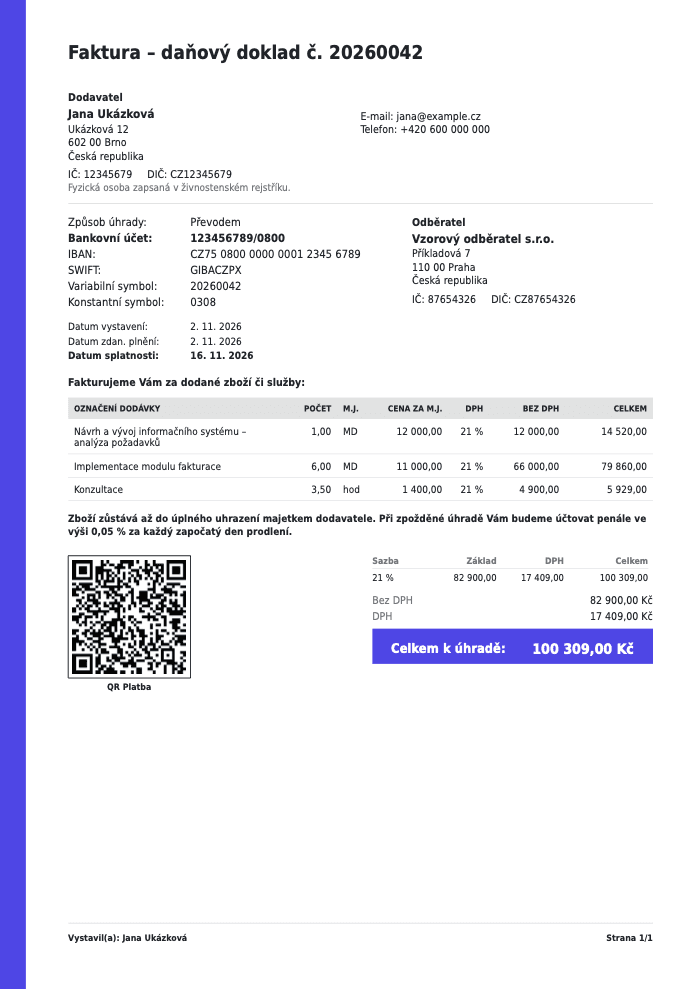
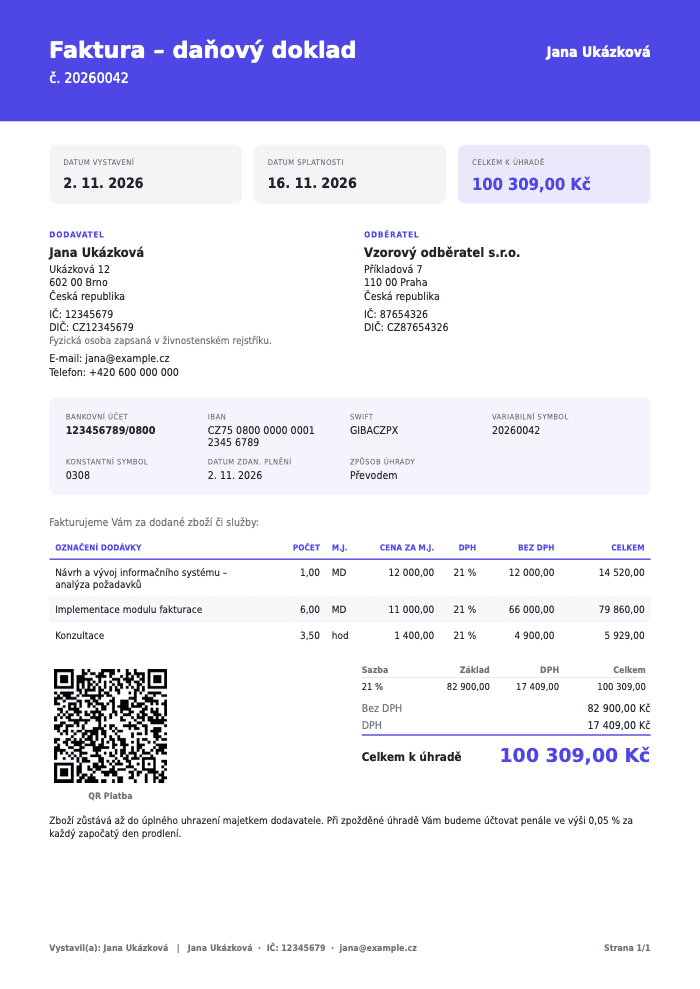
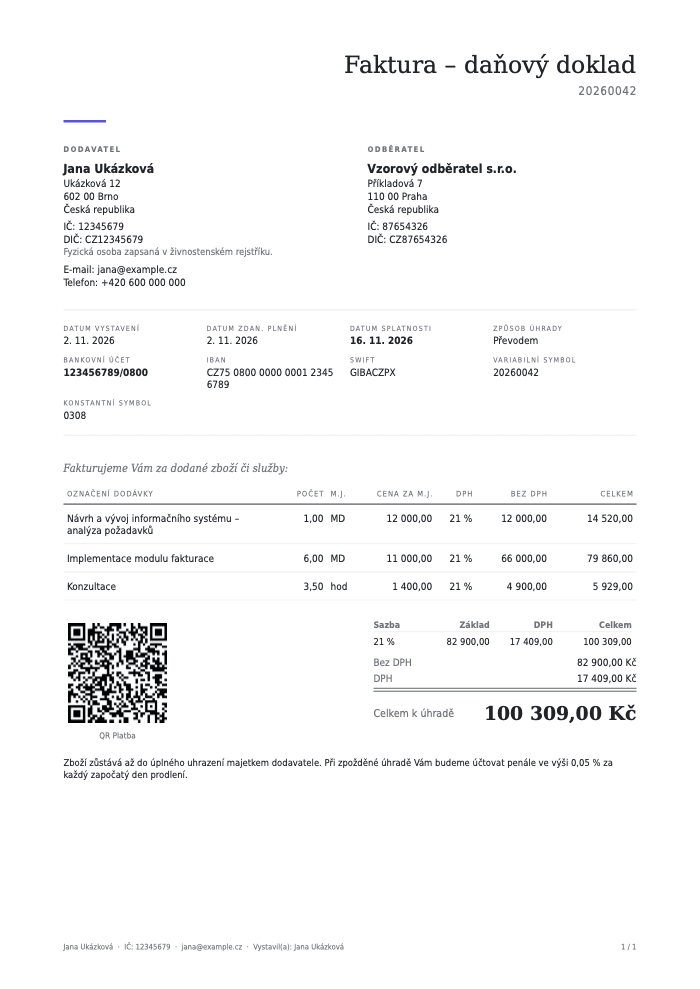
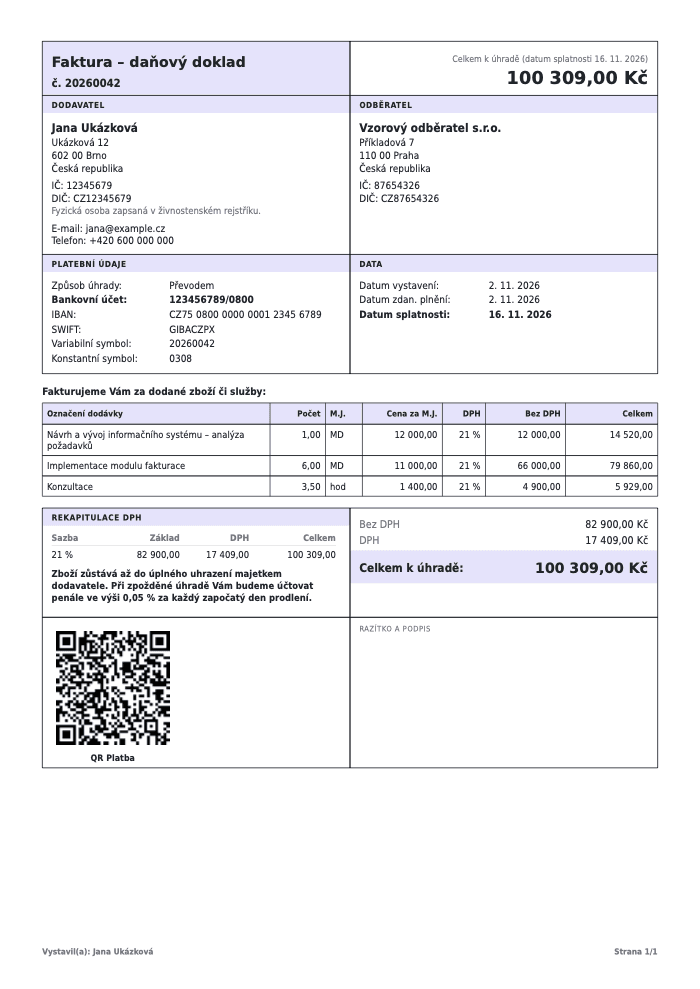
Classic, modern, minimal and traditional looks with your logo, signature and colour.
Team and accountant
Several companies under one account, roles and invitations. Your accountant sees what they need.
Invoice design
An invoice you can be proud of
Choose one of four designs and add your logo, signature and company colour. All of them contain the mandatory details and the QR payment code.
Who it is for
For a single freelancer and for a whole accounting department
Freelancers
- An invoice in a minute, also from your phone
- Non-VAT-payer invoices without worries
- Income overview for your tax return
Companies (s.r.o.)
- VAT per rate, OSS, reverse charge
- Advances, credit notes, number series
- Roles and several companies under one account
Accountant
- Access to clients’ companies
- CSV and ISDOC export
- Documents keep a snapshot of the data on the issue date
Switch without losing data
Switching from iDoklad, Fakturoid or Pohoda?
Upload a CSV export or ISDOC e-invoices. You see a preview before saving, duplicates are skipped and missing customer addresses are filled in from ARES. Number series continue where you left off.
Create an account and import- 1Export documents and contacts from your previous app
- 2Upload the files in Settings → Data
- 3Check the preview and confirm the import
Security and privacy
Your numbers belong to you alone
Invoicing holds sensitive data about you and your customers. Security is therefore part of the design, not an add-on.
Passkeys and 2FA
Sign in with a fingerprint or Face ID, two-factor authentication.
Company SSO
Google, Microsoft or your own OpenID Connect.
Separated company data
Every request checks company membership and role.
GDPR and export
Export your data at any time, delete your account right in the settings.
Frequently asked questions
Before you start
Is iFakturuj suitable for businesses not registered for VAT?
Yes. You set whether you are a VAT payer, a non-payer or an identified person, and invoices carry the right details. Non-payers get invoices without VAT and with the note “Neplátce DPH”.
Can I switch from iDoklad, Fakturoid or Pohoda?
Yes. In the settings you upload a CSV export of documents and contacts or ISDOC e-invoices. You see a preview before the import and duplicate documents are skipped. Missing contact addresses are filled in from ARES.
Can my accountant have access?
Yes. Invite them by e-mail and assign the Accountant role. They see your company’s documents and can export them without changing settings.
How does payment matching work?
Connect a Fio banka account through its API or upload a CSV statement. Payments are matched by payment reference and amount, and the invoice is marked as paid.
What if I want to leave?
You can download your data at any time: a full export of the company and of your personal data. You can delete the account and the company yourself in the settings.
Can I use iFakturuj for a company registered outside the Czech Republic?
No. iFakturuj follows Czech law: Czech VAT rates, Czech mandatory details, the Czech QR payment standard and the ARES register. It is made for freelancers and companies registered in the Czech Republic, and gives them the interface in English, German and French and documents in Czech or English.
How do you protect my data?
Sign-in with a passkey, two-factor authentication, Google, Microsoft or company SSO. Each company’s data is strictly separated, sensitive tokens are encrypted and processing complies with the GDPR.
Issue your first invoice today
Signing up takes a minute. We load your company details from ARES and you can invoice straight away.
Try for free